How to choose a short clip for an English lesson
For a lesson about introductions, you might want an example of It's nice to meet you. Open Clip Search in Playphrase.me and enter the phrase. Results appear in a grid, with the line and movie or TV title visible on each card.
The grid helps you choose a particular scene. You can see where the greeting stands alone, where it includes someone's name, and where it belongs to a longer sentence. Results for It's nice to meet you include a short greeting from American Beauty and It's nice to meet you, Catherine from The Birdcage.
On a computer, hover over a card for a preview. Click it to open a larger view and hear the whole clip. The open clip repeats; you decide when to choose another result. Close the viewer to return to the same grid.
What makes a clip useful for a lesson
Choose according to what you want to explain. For a first encounter with an expression, a scene with clearly audible words and an understandable situation is useful. For a discussion of intonation, look for different deliveries of the same phrase. The words It's nice to meet you alone do not explain the characters' relationship.
Listen to the chosen clip before the lesson. If its meaning depends on an earlier conversation, the short excerpt may not give a student enough information. Choose a more self-contained scene or explain who is meeting whom beforehand.
Use a source filter when you need a particular movie. To save a clip you have chosen, open Download on its card or in the viewer.
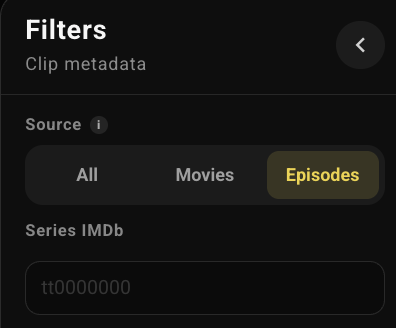
Episodes is selected here.