How to find a clip from a particular movie or actor
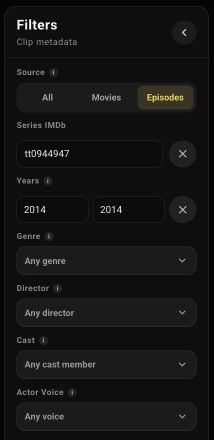
In Clip Search, search across the collection or narrow the source. On a computer, filters sit to the left of the results grid. If the panel is collapsed, open it with the side button.
A line from a specific movie
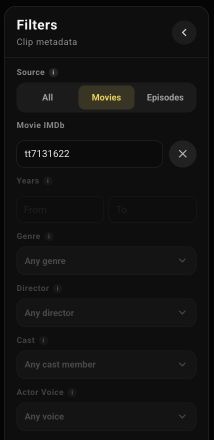
Suppose you want you know from Once Upon a Time in… Hollywood. Enter the phrase, choose Movies, and put the movie's code, tt7131622, into Movie IMDb.
Once the filter is applied, the grid contains lines from that movie, including You know something? and He's a genius, you know. Open a clip to check whether its delivery suits your purpose.
The IMDb code is the part of a movie page's IMDb address that begins with tt. Enter just that code in Movie IMDb.
Selecting an exact movie disables the general genre, year, director, and actor filters. Clear Movie IMDb to search across several sources again.
Movies featuring an actor and lines in their voice
Cast keeps movies and episodes whose credited cast includes the selected person. Choose Brad Pitt, and other characters from those sources may still speak in the results.
Actor Voice narrows results by the probable speaker. This beta uses probabilistic voice recognition, can be wrong, and does not yet cover every source. Listen to a promising clip to check the match.
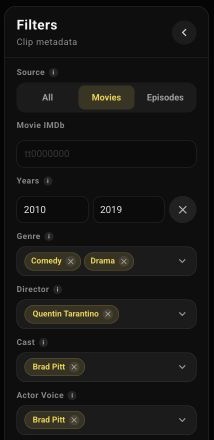
When the exact source is unknown, use Movies or Episodes, years, genre, or director. Add conditions you actually know; each narrows the results. If the grid is empty, remove unnecessary filters and check whether the phrase itself can be found.