How to Practice English with Random Phrases, Words, and Favorites
Playphrase.me editorial
Playphrase.me's random study actions do not draw from the entire catalog. They shuffle the current page in the section you have selected. Set the level, topic, and any other filters first, and Playphrase.me will open items from that page without repeats. When the page is exhausted, you can replay it or continue to the next one.

Choose the set before you shuffle it
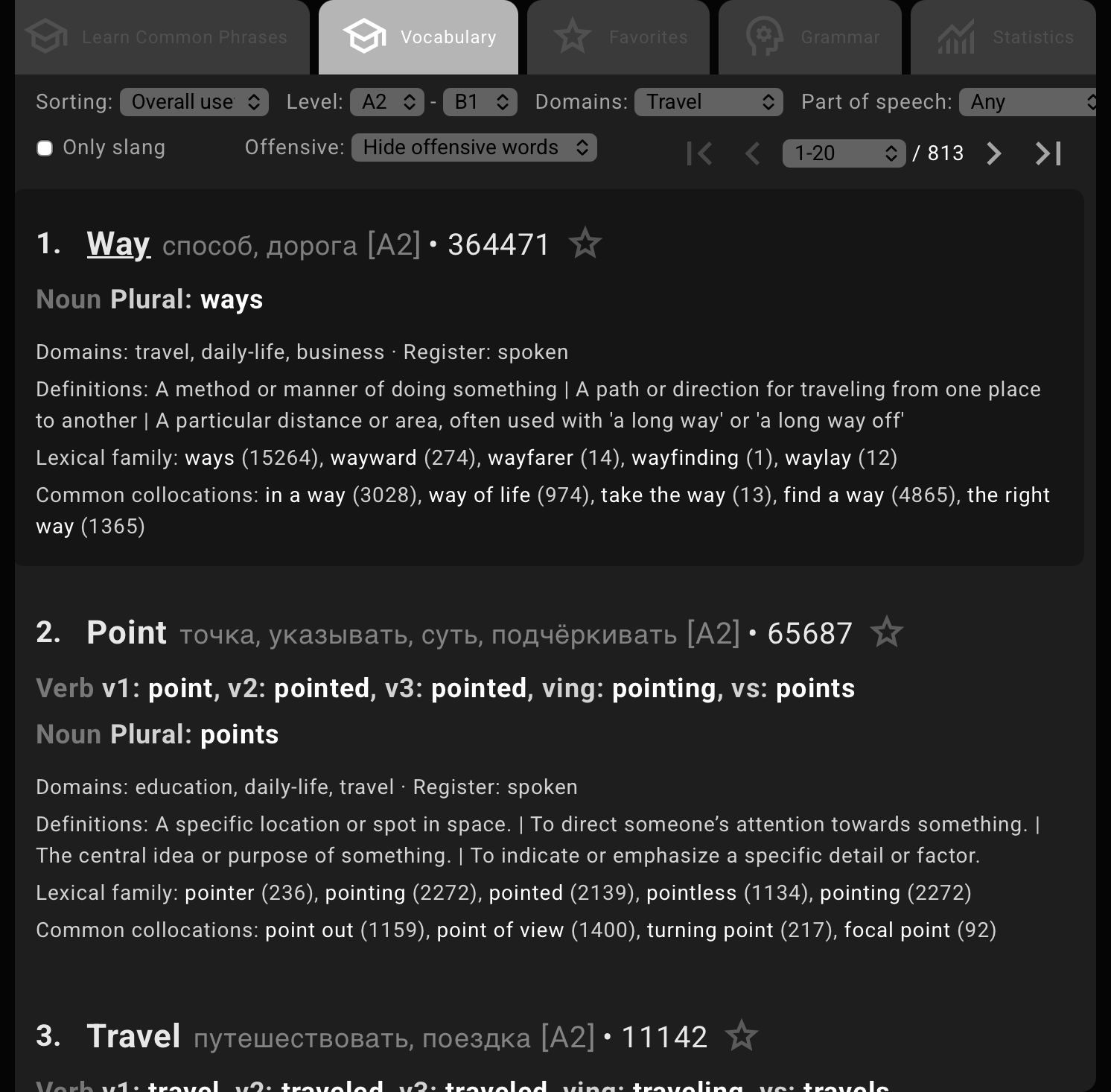
For example, open Vocabulary, set the level to A2–B1, and choose the topic Travel. Random word will now draw only from the current page of that filtered set. Change the topic, level, or page, and the random sequence starts from the new set instead.
Common Phrases can also be filtered by level, topic, and other traits, such as questions or idioms.

Start with ready-made phrases
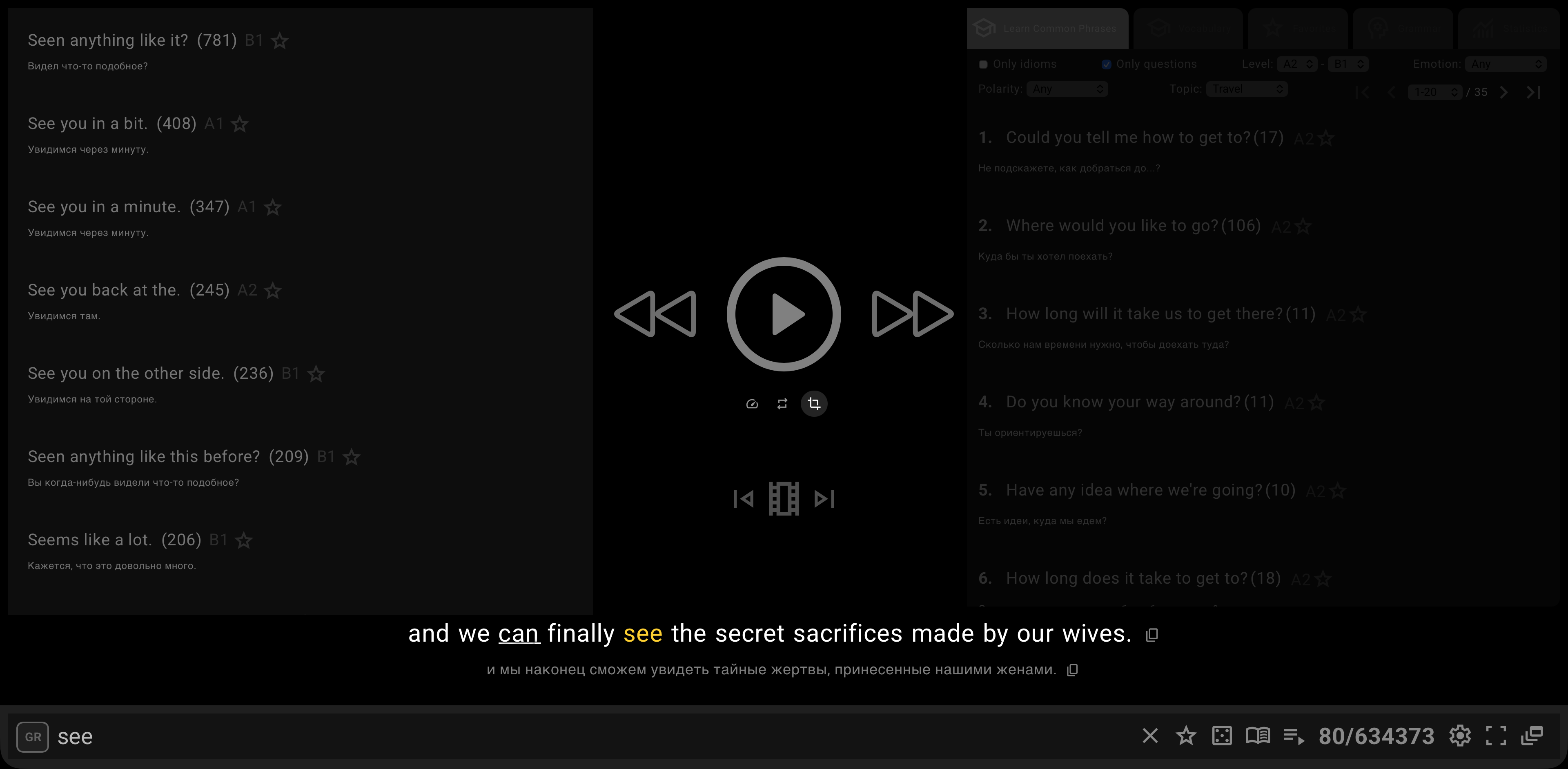
On a computer, open Search & Learn and select Common Phrases. Set the level and topic, then choose the dice button labeled Random phrase.
Playphrase.me puts one phrase from the current page into the search field and opens its video clips. Press Ctrl+Space or Alt+Space for the next phrase that has not appeared yet. Each press continues through the same shuffled page.
Move on to individual words
Open Vocabulary next. Here you can narrow the set further, for example by part of speech. Select the book button labeled Random word. After that, Ctrl+Shift+Space opens the next word from the current filtered page.
Random word automatically turns on Focused playback, so each clip keeps the word you searched for and a small amount of the surrounding line.

Save a phrase or word for later
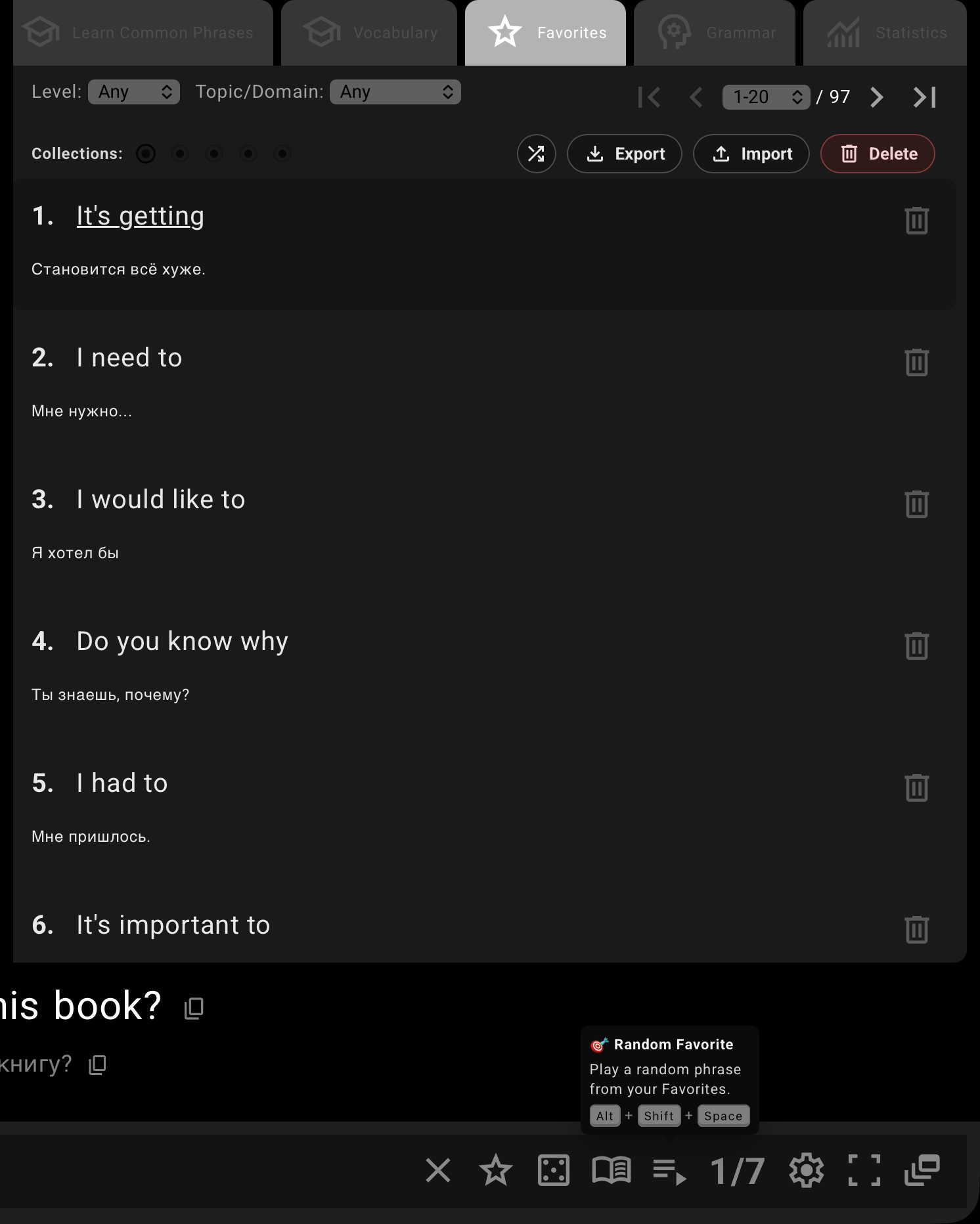
The star beside the search field saves the current phrase or word to the active Favorites collection. Inside that collection, choose the page and filters you want before using Random Favorite: this action is limited to the selected set.
Random Favorite opens one saved entry in Search & Learn. The shortcut Alt+Shift+Space does the same and turns on Focused playback. Press it again to open another entry from the page that has not appeared in the current sequence.
Random Favorite and Shuffle do different jobs
The two controls both change what appears next, but at different scales:
Random Favoriteopens one entry from the currentFavoritespage inSearch & Learn. Use it again to continue through that page without repeats.Shuffle favoritesis the round shuffle control in the collection toolbar. It changes the order of the entire collection across all its pages. That shuffled order stays in place whileShuffleis enabled. Turn it off to restore the normal order and return to page 1.

At the end of a page
Once there are no unseen items left on the current page, Playphrase.me offers to replay that page or continue to the next one. After the last page, the sequence loops back to the first. Random Favorite follows the same pattern; if the collection has only one page, the only option is to replay it.
The mobile version is shorter
The three keyboard shortcuts and the page-completion dialogs are desktop-only. On a phone, the dice button beside an empty search field opens a random item from Common Phrases. There is no separate mobile Random word or Random Favorite action. Favorites still includes Shuffle for changing the order of the collection.