How to collect phrases for review in Favorites
In Favorites on Playphrase.me, save words and phrases you want to revisit. You might collect expressions for introductions or combinations that are still hard to recognize by ear.
Open Favorites and choose a collection first. The collection controls sit above the list. The active collection determines where the next saved entry goes.

Search for a phrase and select the star beside the search field. Entries in Common Phrases and Vocabulary also have stars, so you can save useful material directly from either list.
What gets saved
A Favorites entry is saved search text, such as all right i'll see you soon. Opening it again makes Playphrase.me find videos with those words. A collection lets you return to an expression across different scenes; it does not attach one selected clip to the entry.
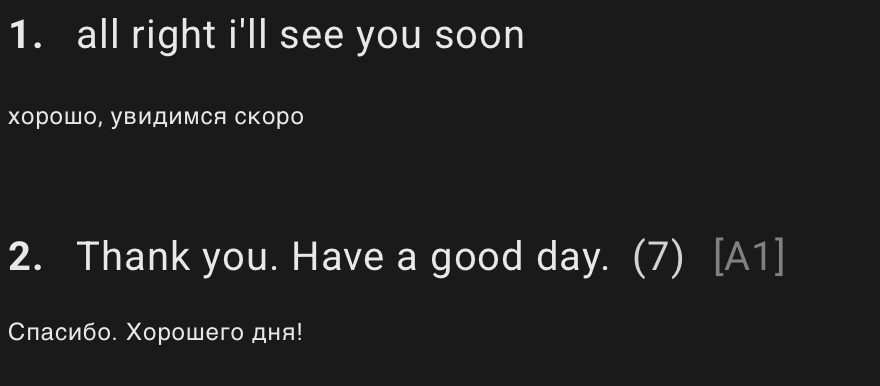
Keep this distinction in mind when building a collection. Save the complete combination if that is what interests you. Saving mind will return different uses of that word. To review make up your mind, save a separate entry with the whole expression.
At your next session, open the same collection and choose a phrase. You do not need to remember or type it again. Stay with several video examples, then move to the next entry.
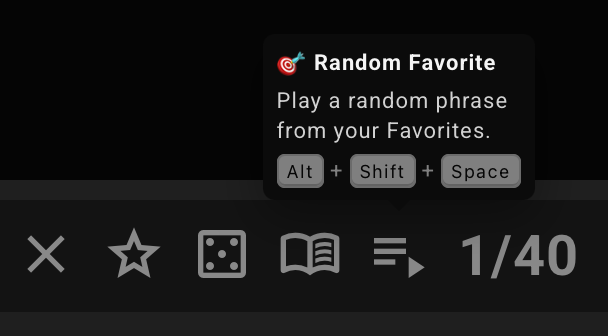
Random Favorite hint shows the current desktop shortcut.Organize collections around your own tasks: one lesson's material, expressions for a trip, or words from a recent class.